
Most "chord trainer" pages just list features—metronome, random order, MIDI support—without explaining why those features are built the way they are. This guide breaks down the actual mechanics behind Looty Chords practice sessions: how the shuffle works, how tempo is trained, and how key progression is structured, so you know what you are actually practicing and why it works.
Why the Practice Deck Is Shuffled, Not Looped
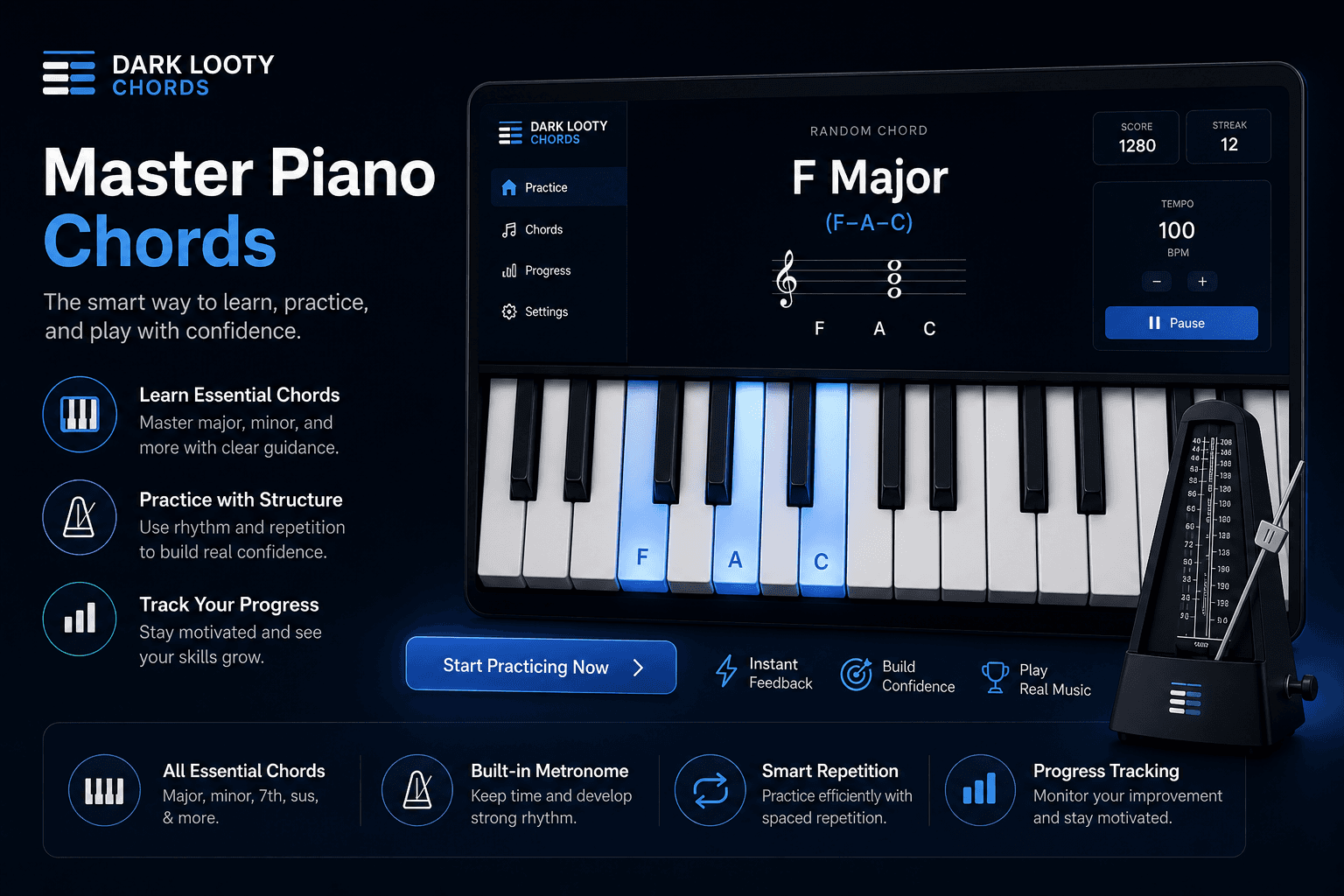
Looty Chords builds a full deck of every chord in your selected key, shuffles that deck once, and works through it chord by chord. That matters more than it sounds: a true shuffle guarantees every chord in your set comes up before any chord repeats, instead of naive randomness that can let a weak chord get lucky and never appear.
It also rules out the alphabetical trap. Drilling chords in a fixed order teaches your hands what comes next, not what a chord actually looks and sounds like. A shuffled deck forces your fingers to identify each shape independently—the same skill a real chord chart demands, since songs never move through chords alphabetically.
Once the deck is exhausted, it reshuffles and starts again, so a full practice session keeps testing the whole set rather than settling into a pattern you can anticipate.
Timing Is Trained on a Metronome, Not Guessed
Every chord prompt in Looty Chords is cued against a built-in metronome, adjustable from 40 to 200 BPM. That range matters: 40 BPM is slow enough to rebuild a shaky change from scratch, and 200 BPM is fast enough to hold up against real up-tempo songs once you are ready.
The training method is simple—start slow enough that every change lands cleanly, then raise the tempo in small steps. Speed without accuracy just trains sloppy habits at a faster pace; the metronome is what keeps practice honest about which one you are actually building.
One Key First, Then the Rest
During your trial you pick one key and work through the seven essential chord types in it. That is a deliberate constraint, not a limitation: mastering one key's worth of shapes and changes first gives your hands a real reference point before the trainer asks you to repeat the process in a new key.
When that first key feels automatic, the same shuffle-and-metronome method applies to the next key, and the one after that, across all twelve. The method does not change as you expand—only the chord set you are drilling does.
Named Progressions, Not Just Isolated Chords
Drilling isolated chords builds shape recognition, but songs move through chords in patterns. Looty Chords includes named progression practice—like I-V-vi-IV (Pop) in major keys, or ii-V-I (Jazz), shown as ii-v-i (Natural Minor) when you are working in a minor key—so you also train the changes as they actually occur in real chord charts.
This runs on the same metronome-timed engine as single-chord drills. The difference is what is being cycled through: a real chord sequence instead of the full shuffled deck.
Who Benefits Most From This Method
This training method rewards consistency over cramming—short sessions most days beat occasional long ones, because shape recognition and timing are both built through repetition, not insight.
For the full picture of what Looty Chords includes beyond the practice method—pricing, plans, and who the app is built for—see the Piano Chord App guide.
How to Start Training
- Create a free account and start the 7-day trial.
- Choose one key to focus on during the trial.
- Set a comfortable metronome tempo and let the shuffled deck run.
- Connect a USB MIDI keyboard if you have one, and play the prompts on real keys.
- Once changes feel automatic in that key, unlock the rest and repeat the method.
Looty Chords runs in the browser—no install required. Open the site, sign in, and go to the practice screen when you are ready to train.
See the training method in action
Reading about the shuffle and the metronome only goes so far. Open Practice Mode, pick your key, and feel how the method works for yourself.