
The quiz below highlights a chord on a small keyboard. Look at the shape, choose a name, and read the feedback. Press Hear only if you also want the sound. The next question button loads another chord. This sample does not start a scored round and it does not play by itself.
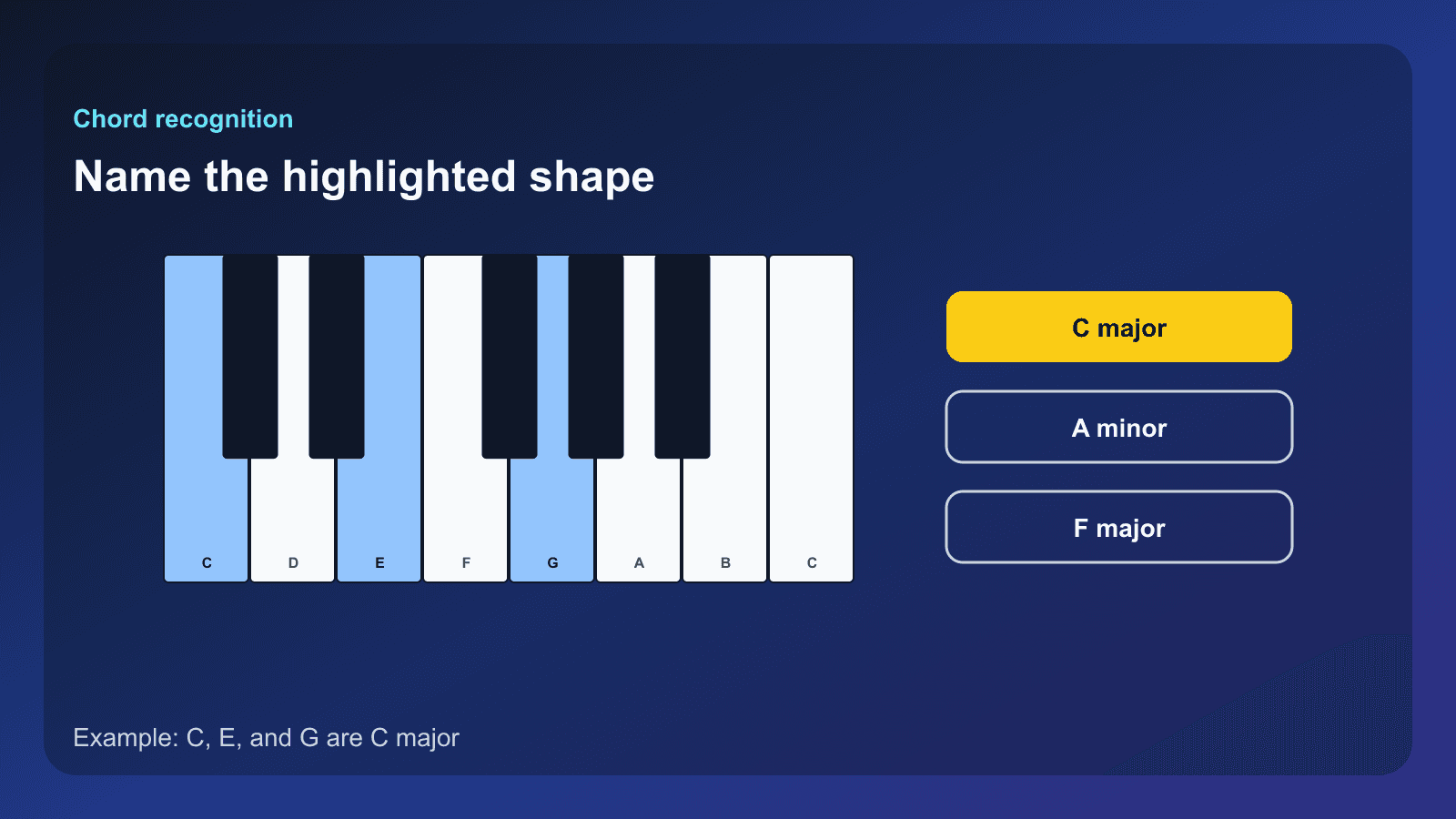
Which chord is highlighted?
What chord recognition means
In this lesson, chord recognition means looking at highlighted piano keys and naming the chord. A major triad is a bright stack: root, a note four semitones up, then a note three semitones above that. A minor triad lowers that middle note by one semitone.
C major is C, E, G. C minor is C, E-flat, G. The root is the named starting note, the third is the middle note, and the fifth is the last note of the triad. The same shape can sit higher or lower on the keyboard. The letter names stay the ones the chord uses.
How the quiz controls work
On this page the compact quiz shows the keys first. The note names and key labels appear after you answer. Hear plays the highlighted notes once, and only after you press it. A correct choice is marked. A miss tells you the answer the generator expected. Next question builds another beginner question in C major.
The full Chord Recognition Quiz adds a start button, a question count, and a key setting. Its first question never plays by itself. A setting called Auto-play later questions can play the later questions after you have started. You can also hide the note names until you have answered. Those controls are on the full quiz, not all of them are on this short sample.
What to do with a miss
When the answer is wrong, look back at the three notes before you go on. Find the root the answer named, then see whether the middle note is the major third or the minor third. One miss is one shape to revisit, not a score you need to repair on this page.
Use Chord Finder or Chord Explorer when you want to build the same chord yourself. The major and minor chord lesson and the interval lesson explain the gaps between the notes.
Seeing a chord and hearing a chord
This quiz is a looking exercise that can also play the chord. Ear training is the listening exercise: you hear a sound and name it before you rely on the picture. Use both, and keep them separate while you practice.
The Ear Training tool is the listening practice. Ear training explained describes that skill. How to use Chord Finder is the guide for checking a chord from notes you already have.
Start practicing piano chords with Looty Chords
Begin your free trial, compare plans, or read answers to common questions about chord practice and MIDI setup.